LVDT Script generator
The LVDT Script Generator allows you to create a variable pitch coil across multiple layers.
You first generate the table with your specification, then you input the bobbin RPM, wire size and ramping options. After these settings have been defined you input your winds for each segment across each layer.
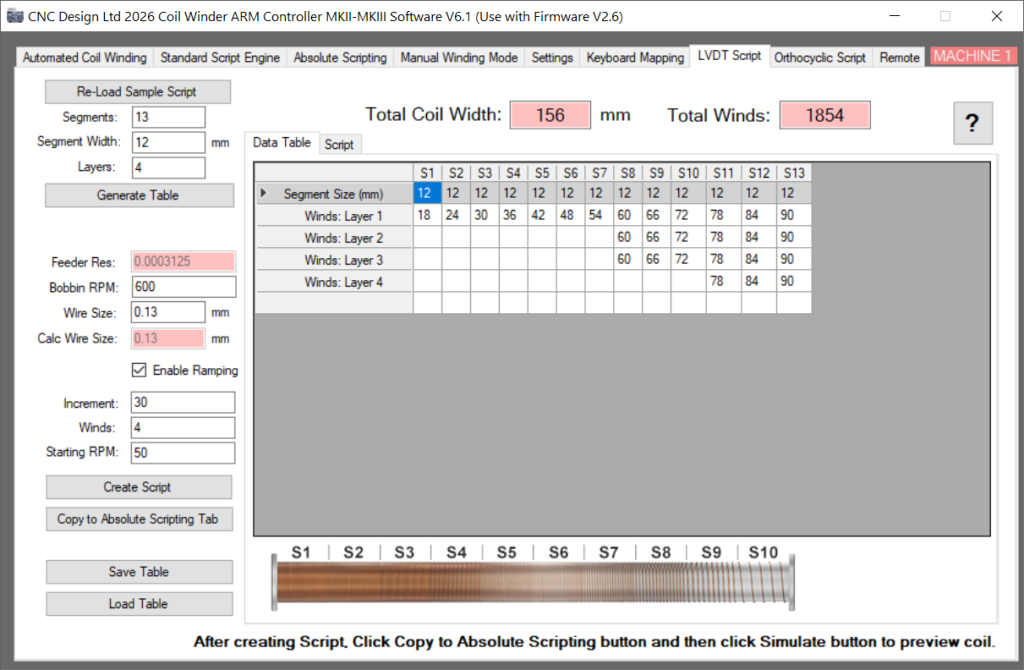
Table Generation
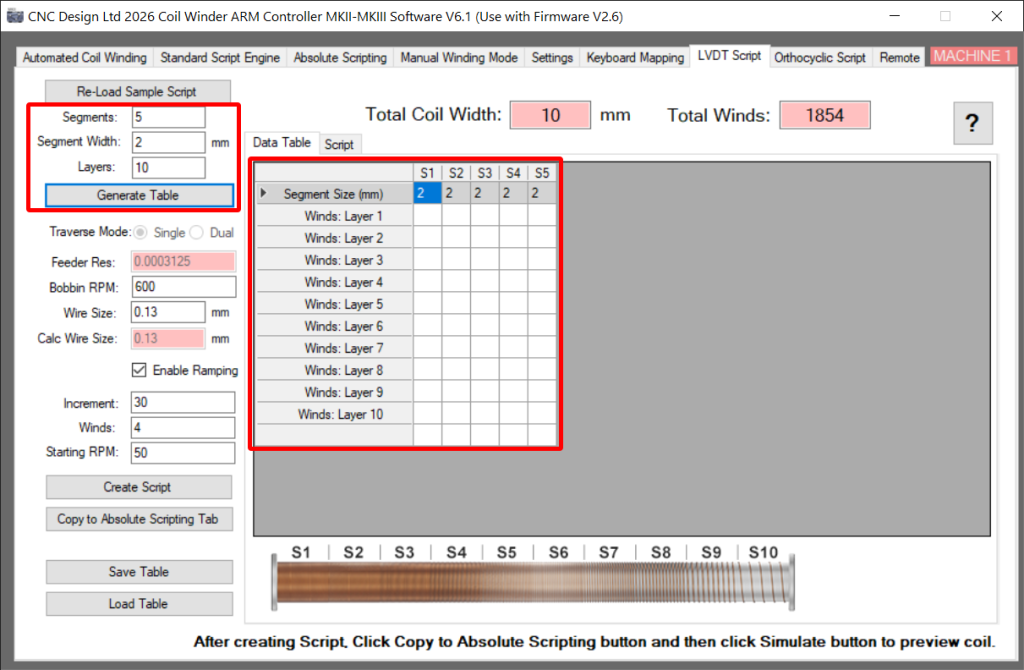
You generate a table by inputting the number of segments, layers and the segment width. The segment width will be applied to each column but these values can be modified in the cells.
Click on Generate table to clear the Data Table and populate it with the new parameters.
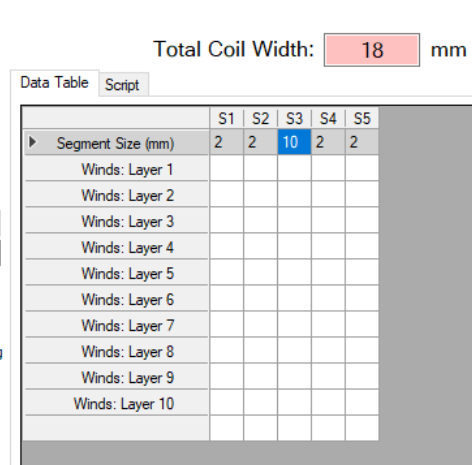
As you can see below segment 3 has been modified to 10mm and the total coil width has now increased to 18mm. This flexibility will allow you to create highly complex coils.
Winding parameters
These options determine the limits of the winding. Bobbin RPM sets the wind speed, Wire size will limit the pitch and the Ramping options will add smoothing to the start and end of the wind.
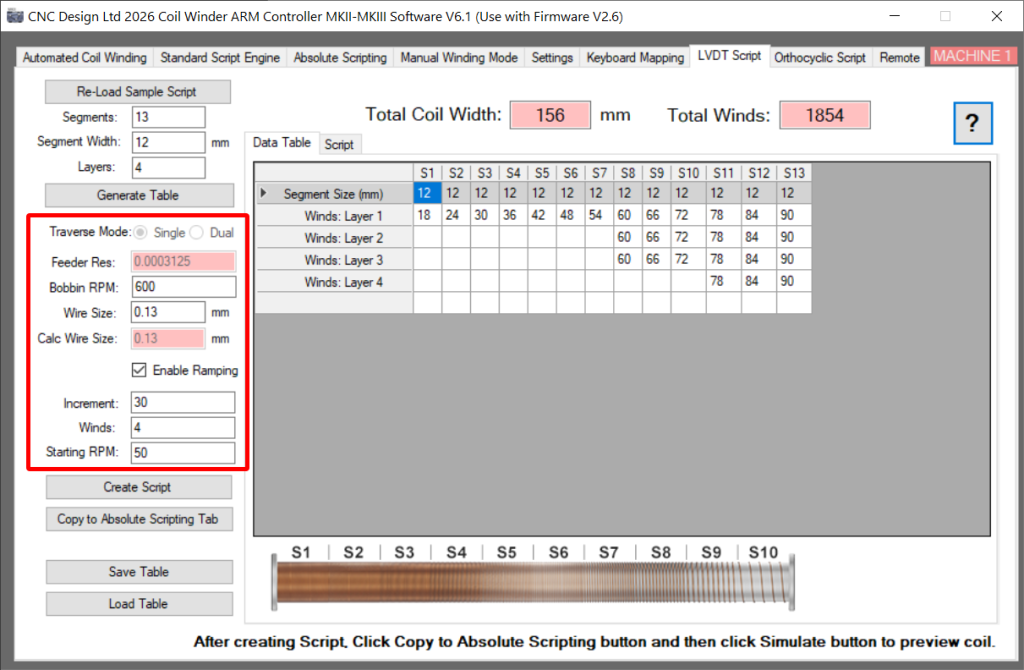
Traverse mode sets this coil to be wound using a Single Traverse axis or a Dual Traverse. the Dual Traverse option is only available for our custom builds such as the 600mm LVDT Dual Traverse Coil Winder.
Bobbin RPM sets the speed of the winding, this value never changes outside of the ramp routines.
The Wire size limits the number of winds within a segment, if the winds across a segment form a pitch lower than the wire size then that winding cannot be done.
Ramping adds acceleration/deceleration to the start/end of the coil this should be enabled for high-speed windings. The increment will decide how many speed changes will occur over the specified number of winds. The Starting RPM is the first command speed this should be between 3-10% of the bobbin speed.
Data Table
This is where you will outline the winding pattern. Segments are generated with pre-defined widths but these can be modified in the table. You input the winds for each segment on every layer.
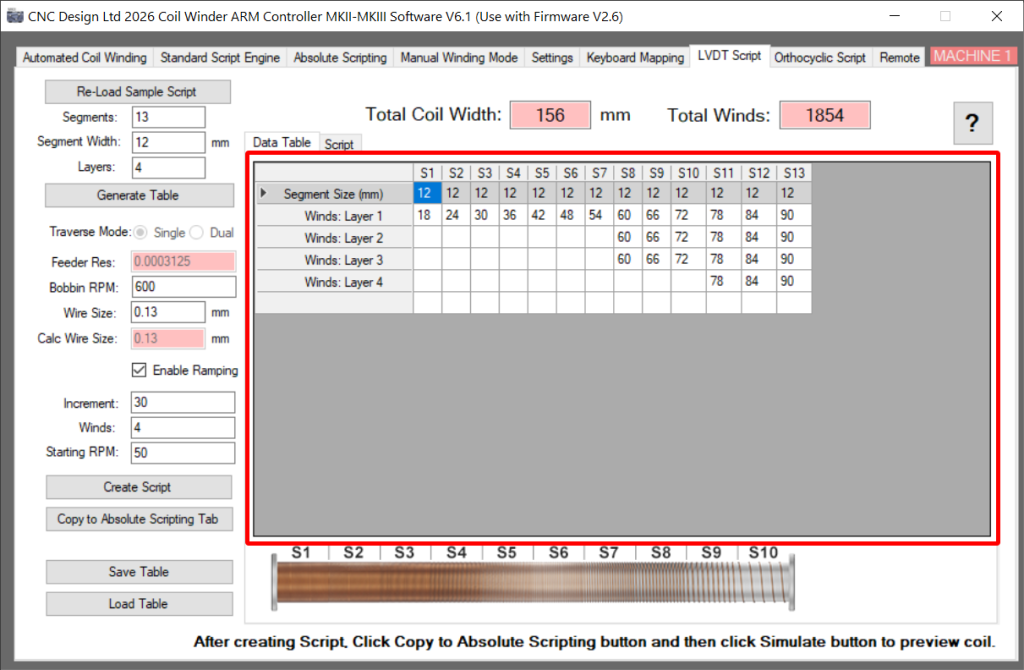
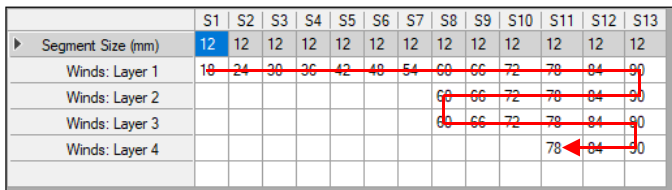
The winding pattern starts on layer 1 at segment 1 then travels to the end of the layer moves down to the next row and decrements back to segment 1 where it will move down another layer. This method of flipping direction will alternate until the last wind is complete, below is an illustration of the winding pattern.
Script Generation
If the Data Table is valid then the Create Script button will build a usable script that can be copied to the absolute script engine using the button. The script and Data table can be switched using the tabs at the top.
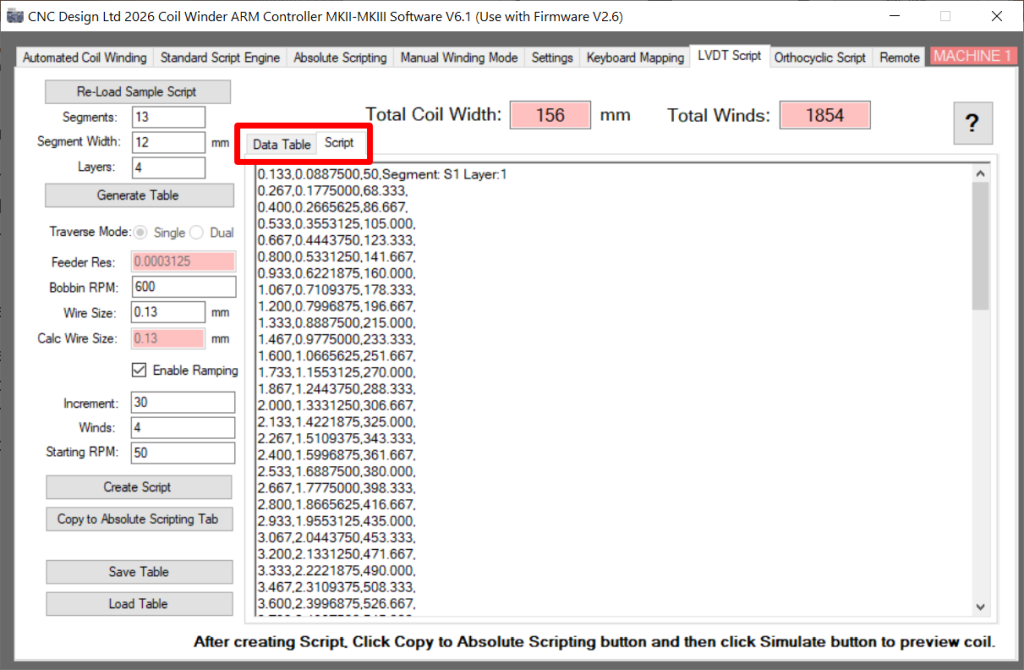
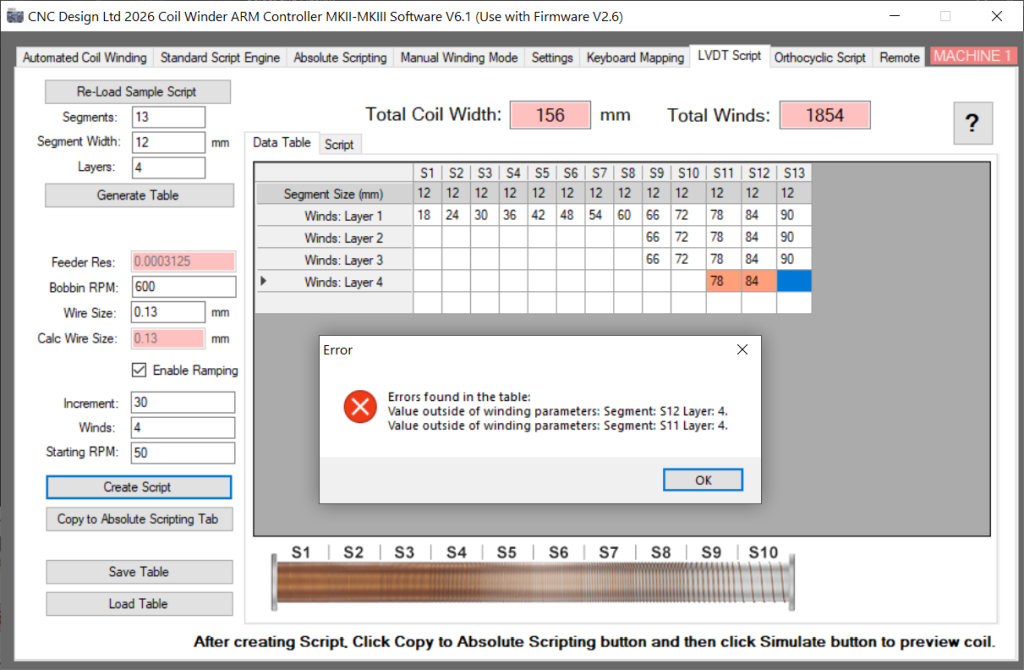
The script generator has an error checking procedure to ensure that a coil is valid. These errors will be highlighted on generation and will require fixing before a script can be made. Below is an example of one of the errors and displays the highlighting.
Scripts can be Saved/Loaded using the buttons at the bottom, this will save the file out as a .dtf file. The file saves all of the Parameters on the left, the Data Table and the Generated Script. You cannot save a table if there are errors.
The Re-Load Sample Script button will default back to the original table.
Absolute Scripting Engine
Once the script has been copied over to the Absolute Scripting Engine you can enumerate it and start the machine. For more information about this engine click here.
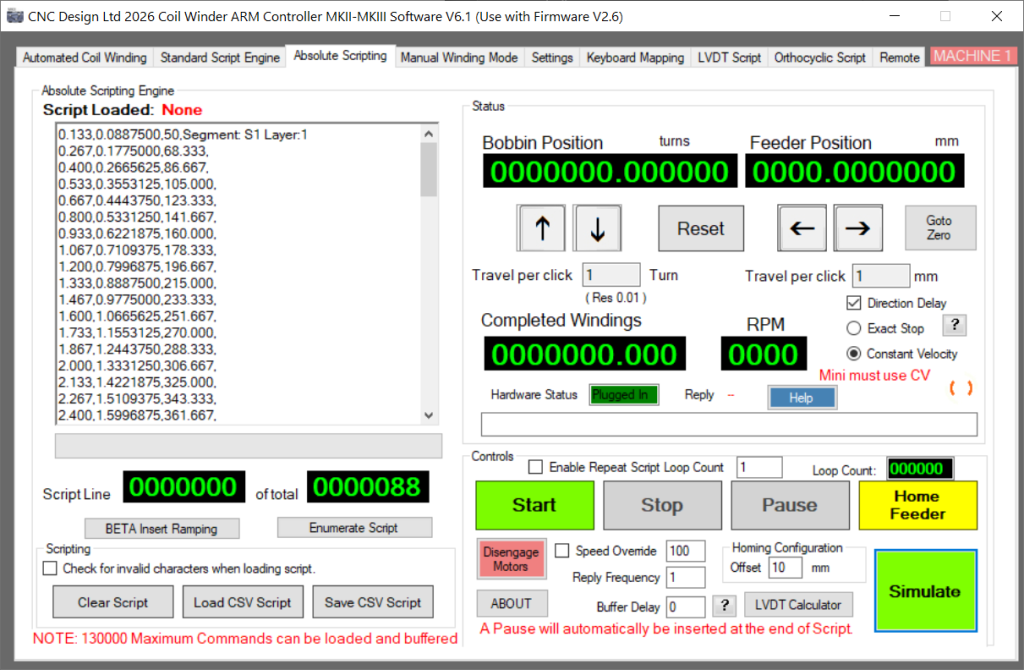
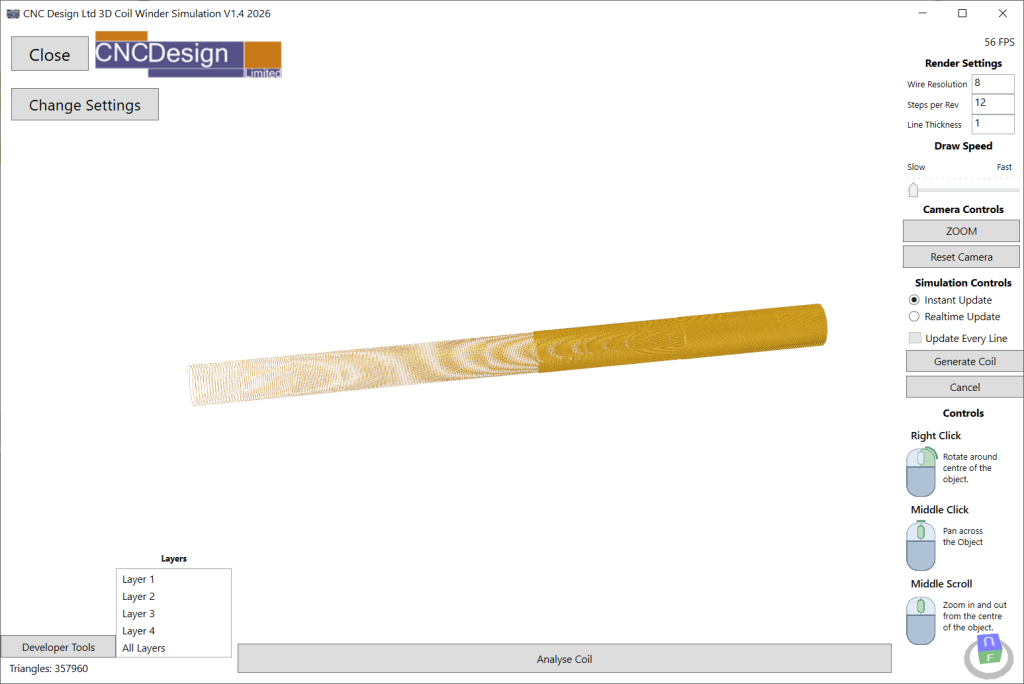
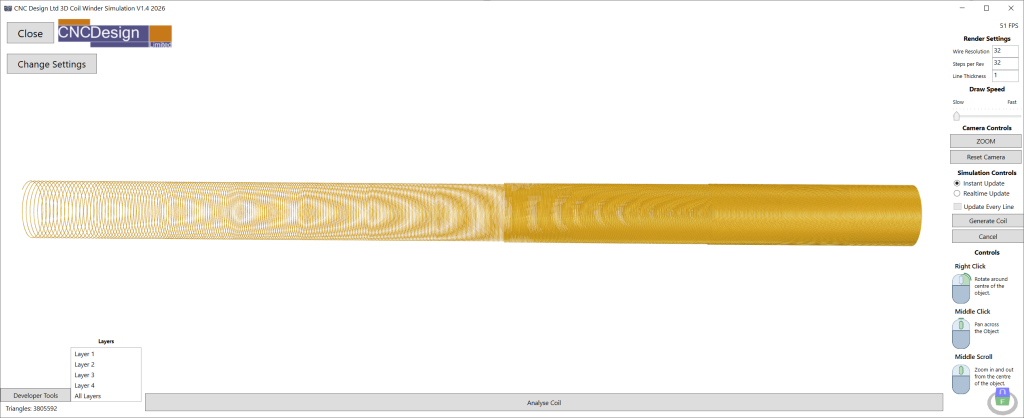
You can use the Simulate button in the bottom right corner to view the coil and analyse each layer.