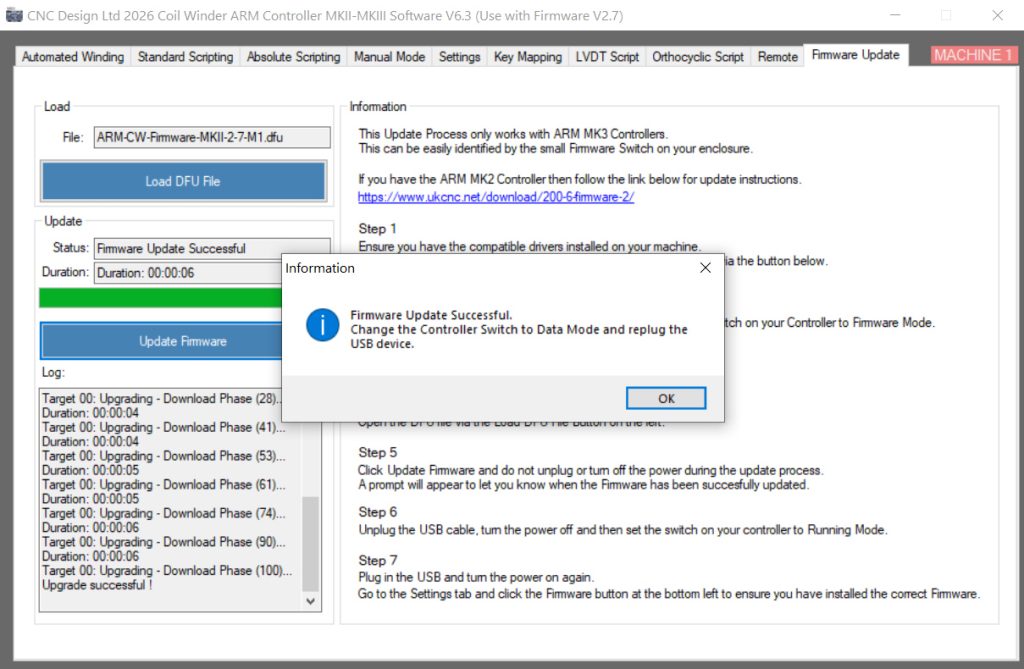
Updating ARM MKIII Controller Firmware using the software
The ARM MKIII Controller Boards can now have there firmware updated through our software. (version 6.3 onwards)
Our latest version of the software can be found below.

Installing DRivers
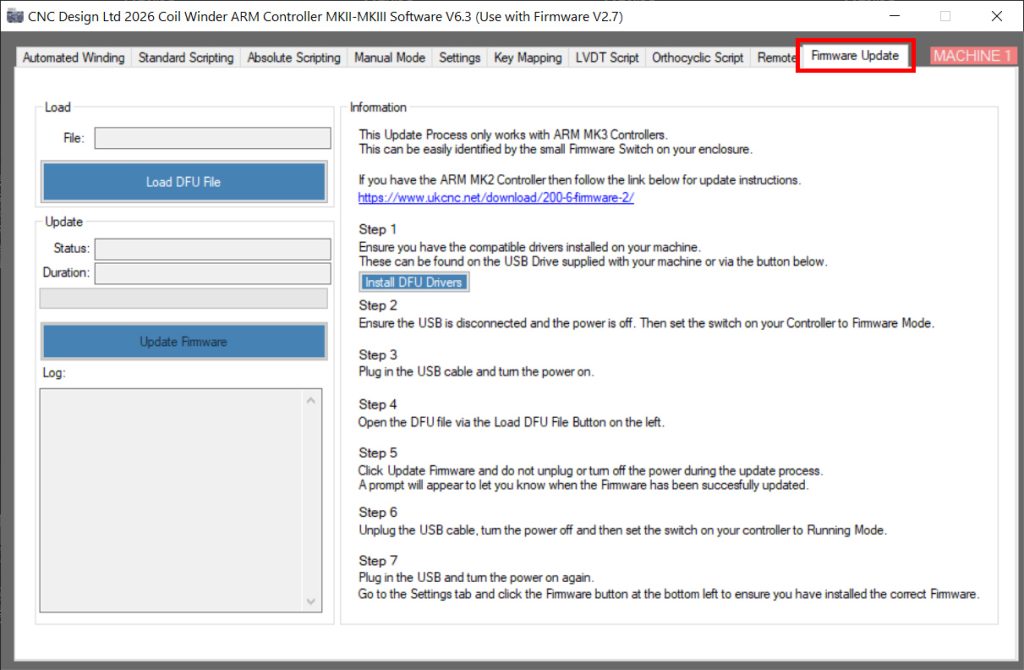
Open the software and browse to the Firmware Tab.
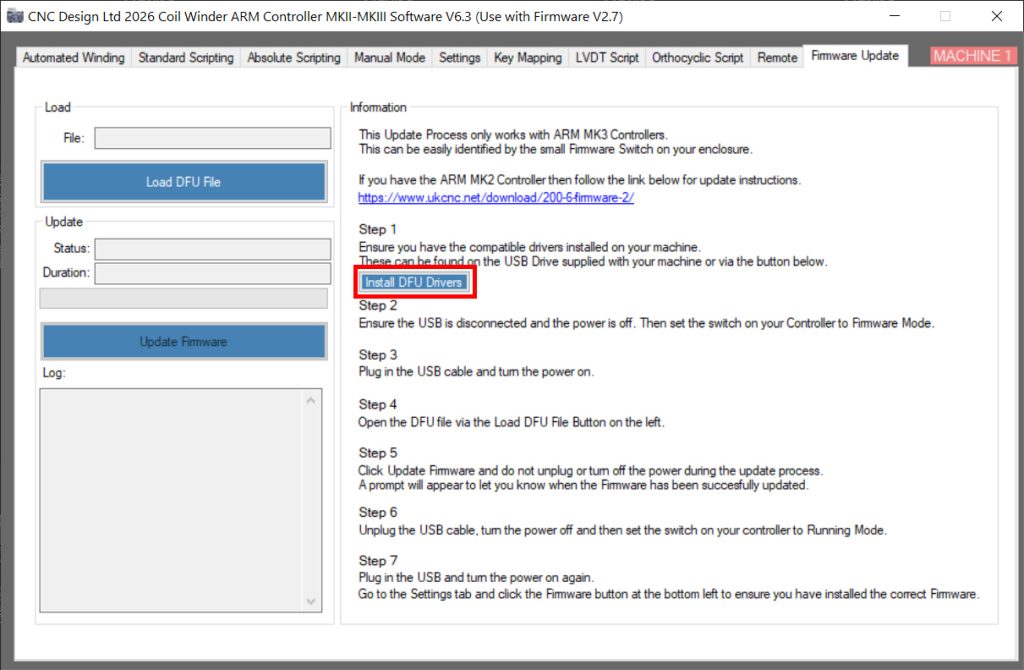
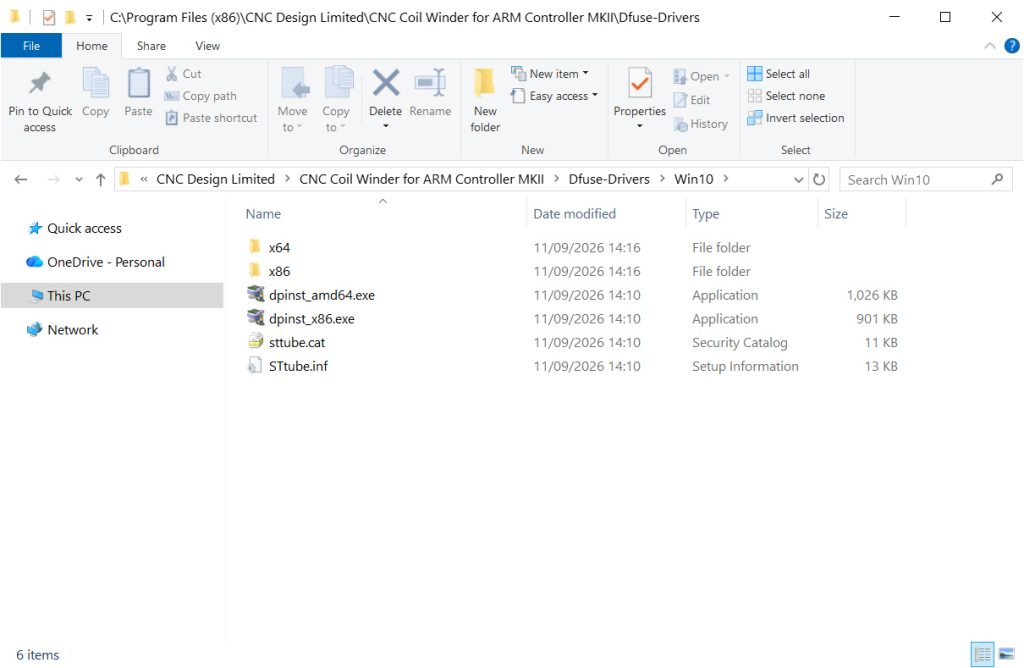
The drivers are packaged with the software, click the ‘Install DFU Drivers’ button.
This will open the folder containing the different windows drivers. Open the folder that matches your operating system.
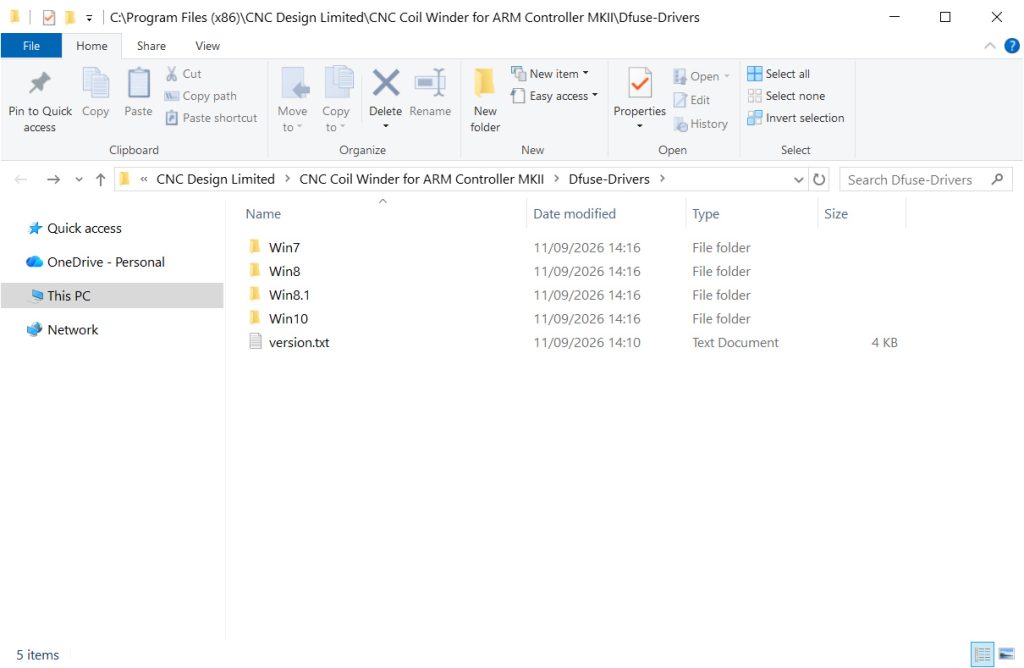
Install the drivers for your 32/64 Bit Operating System.
Setting the Controller to Firmware Mode
Ensure the power is turned off and the USB Cable is disconnected. Then push the switch to firmware Mode.
CNC 200mm Coil Winding Machine – MK6
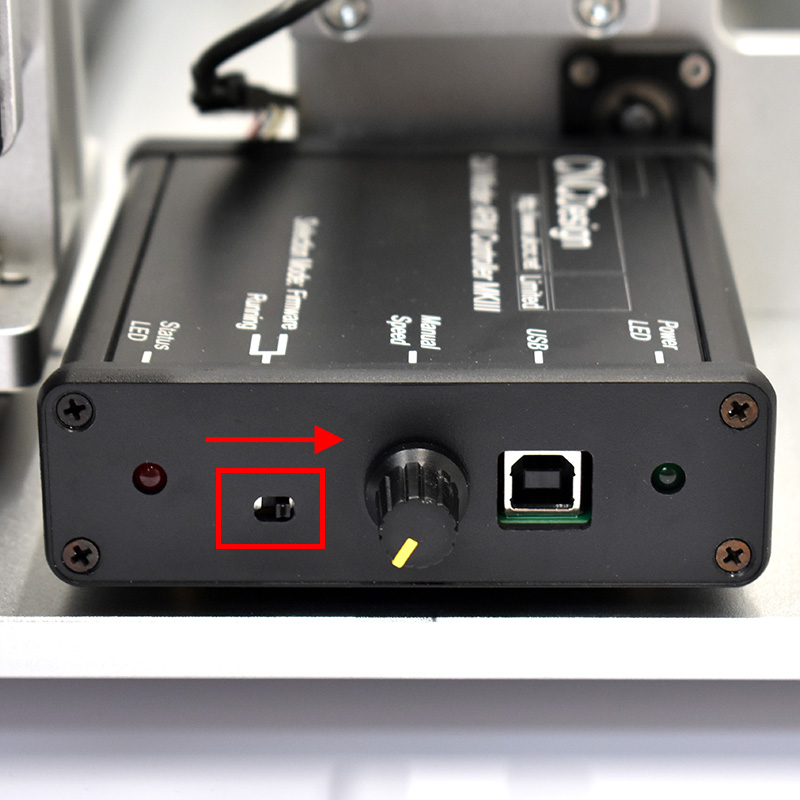
*CNC Quad Guitar Pickup Winder – MK2 has an external enclosure same as above.
CNC Guitar Pickup Mini Coil Winder – MK6
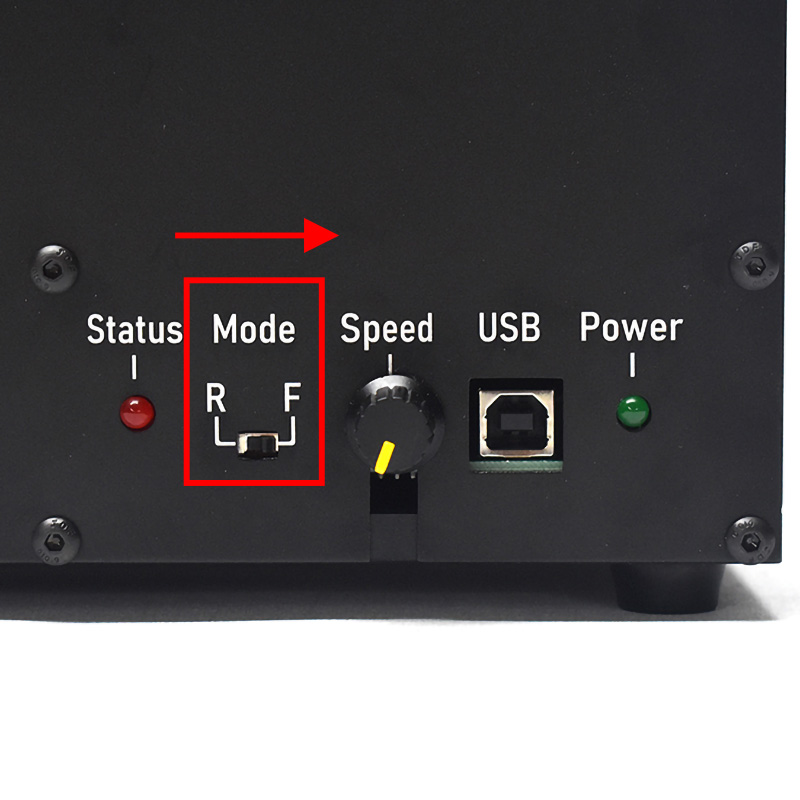
Turn the power on and connect the USB Lead.
Loading the Firmware File
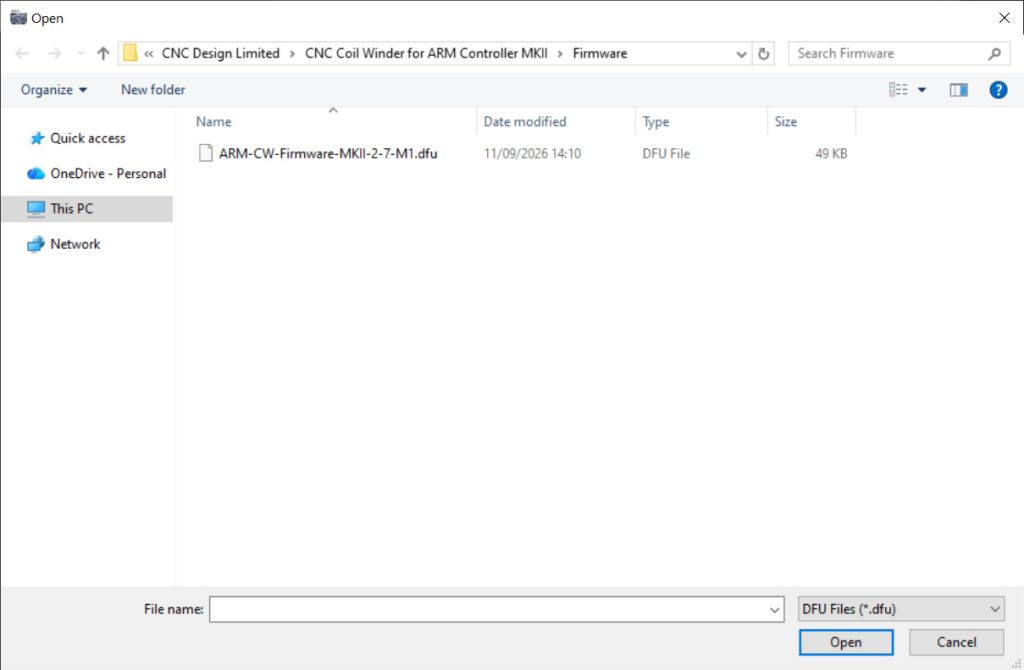
Click the Load DFU File Button.
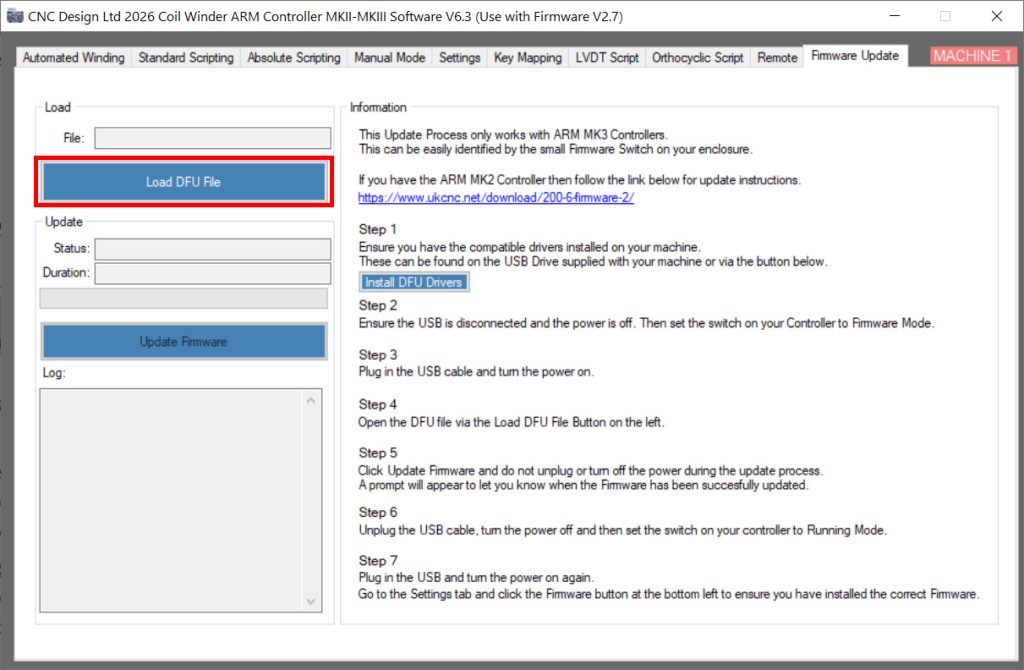
This will open a folder containing the latest Firmware.
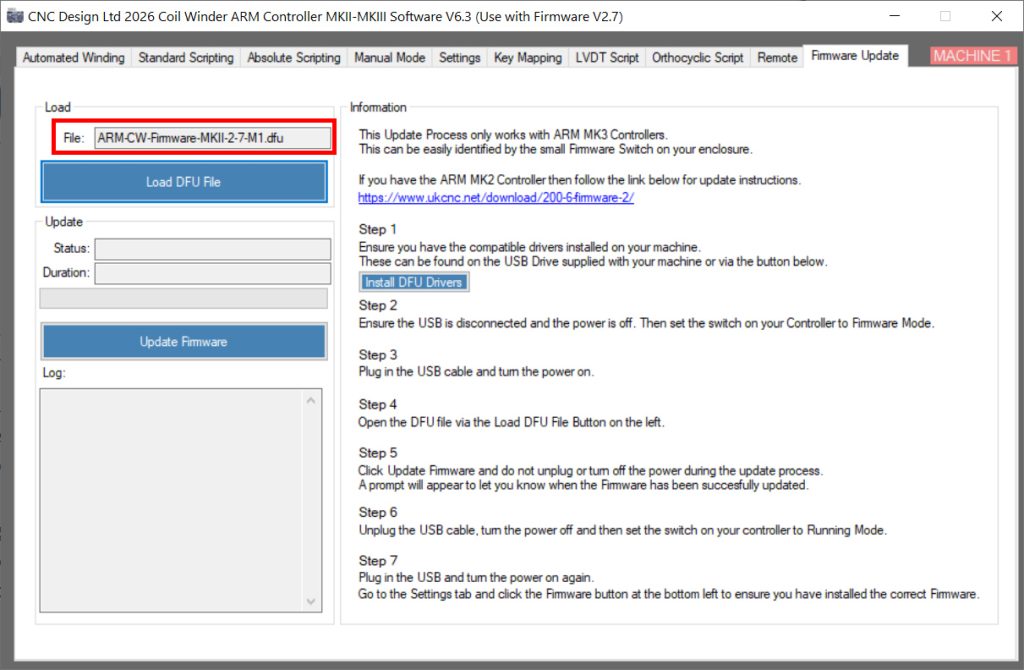
Once the file has been loaded the file box will be populated with the Firmware name and the Update Firmware button will enable.
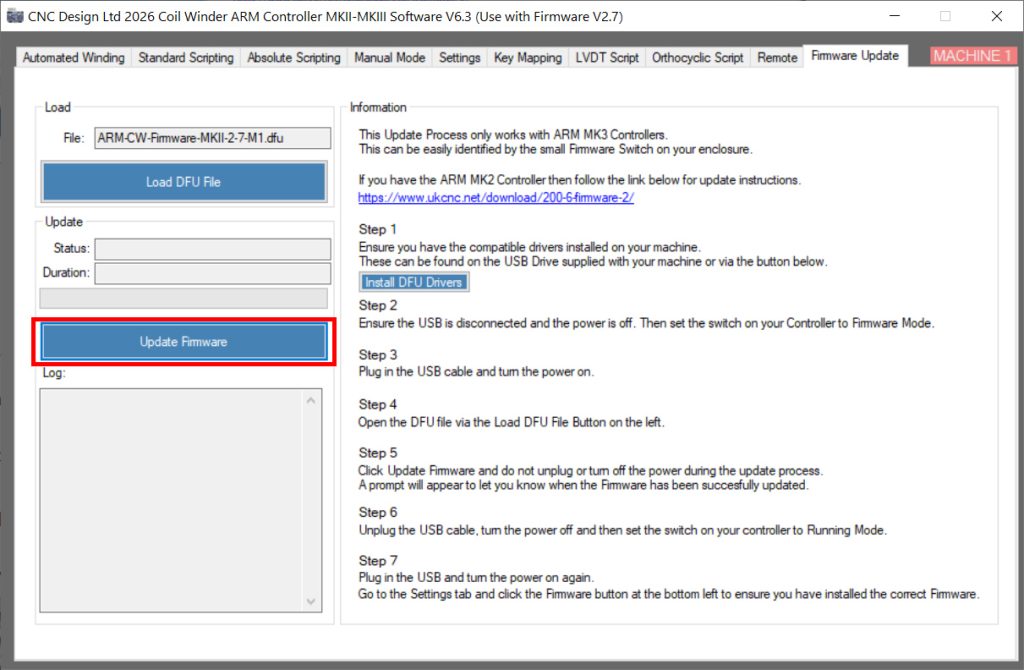
Updating the Firmware
Click Update Firmware to start the process.
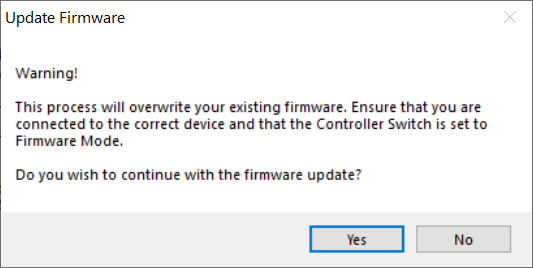
A prompt will appear to confirm whether you want to continue with the update process.
The update will show you the current status, progress and a log of the process.
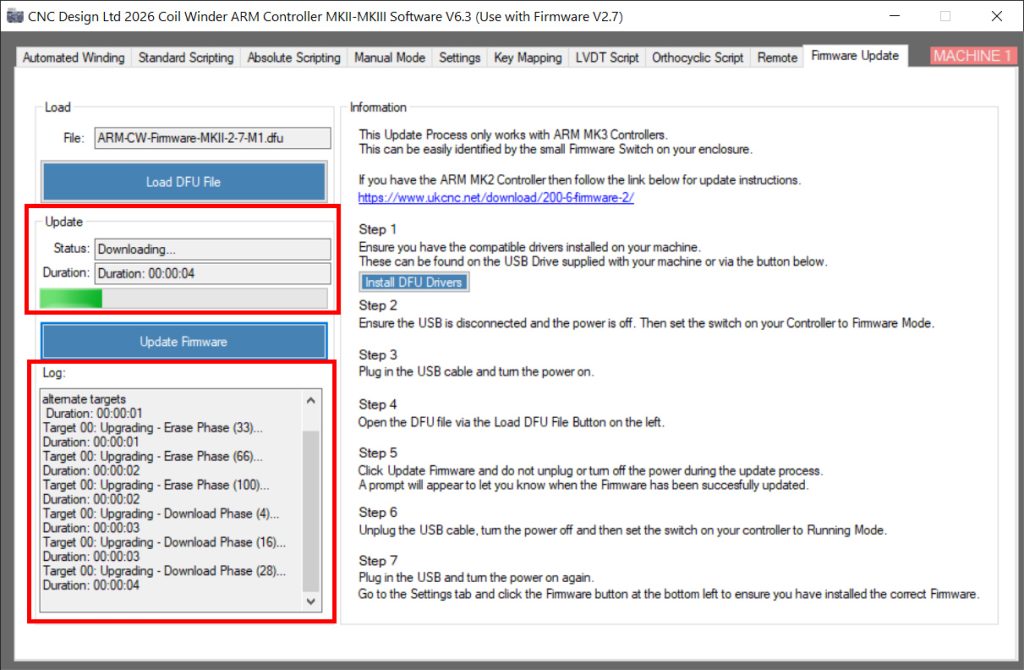
Once complete a box will appear letting you know the update was succesful.
Power the machine off, replug the USB lead and then turn the power back on.